
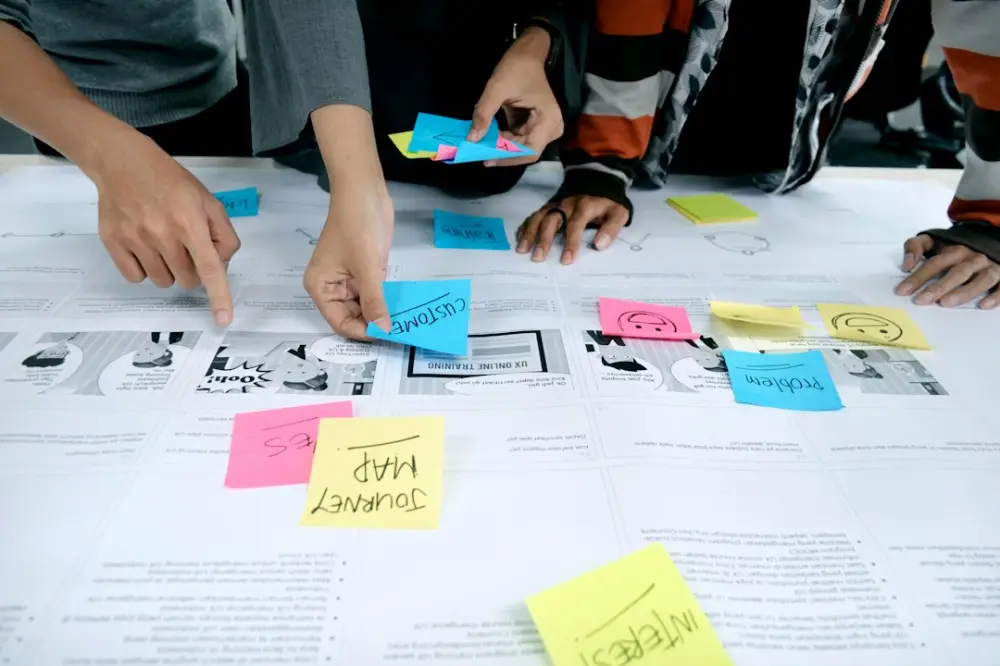
Design and development collaboration is the practice of integrating designers and engineers throughout the entire product lifecycle. Instead of a linear handoff, teams work together from the discovery phase to define problems, validate technical feasibility, and iterate on prototypes. This unified approach ensures the final product is both user-centric and technically sound.
In a custom WordPress environment, this means moving away from the "waterfall" model where a static design file is tossed over a wall to a developer. Instead, developers provide feedback on CSS grid feasibility or Gutenberg block constraints while the design is still in wireframes, preventing costly late-stage reworks and ensuring the brand's vision remains intact during the build.
For many years, the industry operated on a transactional basis. Designers would spend weeks perfecting a high-fidelity mockup in tools like Figma or Sketch, only to have a developer explain later that the layout’s specific fluid typography or parallax effect would compromise site performance. By defining collaboration as a continuous loop rather than a handoff, teams can address these friction points in real-time. This methodology relies on shared vocabulary and mutual respect for the constraints of both aesthetics and code.
Effective collaboration also involves a shared understanding of the underlying Document Object Model (DOM) and how design choices impact the final site structure. When a designer understands how a developer intends to nest elements or utilize CSS Flexbox, they can create layouts that are inherently more responsive. Conversely, when a developer understands the "why" behind a specific whitespace choice, they are more likely to implement it with precision rather than relying on browser defaults.
Why Early Cross-Team Integration Matters
The most significant advantage of early integration is the mitigation of technical debt. When a developer is involved in the initial brainstorming sessions, they can flag potential issues with third-party API integrations or complex database queries before a single pixel is drawn. This proactive stance saves dozens of hours that would otherwise be spent "fixing" a design that was never technically viable for the target environment.
Consider the implementation of custom typography. A designer might choose a variable font with multiple axes for weight and slant. Without early conversation, the developer might discover during the build that the font file size is too heavy for the site’s performance budget. By collaborating early, the team can decide whether to subset the font, choose a more performant alternative, or optimize the loading strategy to maintain the aesthetic without sacrificing speed.
Early integration also improves the accessibility of the final product. Accessibility is often treated as an afterthought or a checklist at the end of a project. However, when designers and developers discuss WCAG standards during the wireframing stage, they can ensure that color contrast, keyboard navigation, and screen reader compatibility are baked into the architecture. This results in a more inclusive experience that requires fewer patches post-launch.
Core Strategies for a Unified Product Workflow
A unified workflow is built on the foundation of shared tools and documentation. One of the most effective strategies is the implementation of design tokens. Design tokens are the visual atoms of a brand—colors, spacing scales, and typography styles—stored as data. By using these tokens, designers and developers ensure that "Brand Blue" is the exact same hex code in the Figma file as it is in the SCSS variable file. This eliminates the guesswork that often leads to visual inconsistencies.
Another core strategy involves the use of a living style guide or a pattern library. Instead of viewing a website as a collection of static pages, the team views it as a system of reusable components. When building a custom theme is still the goal for a premium brand, these components allow for greater flexibility. A developer can build a robust "Hero Block" or "Testimonial Slider" that the designer has already stress-tested for different content lengths and screen sizes.
The Role of Component-Based Thinking
Moving toward a component-based workflow requires a shift in mindset. Designers must think about how a component behaves when it is empty, when it has too much text, or when an image fails to load. Developers, in turn, must build these components to be modular and extensible. This shared focus on the component level reduces the "translation gap" and ensures that the final WordPress build functions as a cohesive system rather than a series of disconnected templates.
Regular "desk checks" or informal demos are also vital. Rather than waiting for a formal milestone, developers should show designers progress in a local environment or on a staging server. This allows designers to catch small alignment issues or hover state nuances early. It turns the development phase into an extension of the design process, where the final polish is applied collaboratively.
Prototyping and Testing as a Joint Effort
Prototyping should not be the sole responsibility of the designer. While Figma prototypes are excellent for testing user flows, they cannot fully replicate the feel of a live website—especially regarding scroll behavior, form interactions, or loading states. A joint prototyping effort involves the developer building "ugly" functional prototypes of complex features to test logic, while the designer refines the visual layer in parallel.
This approach is particularly useful when working with custom interactions or animations. A designer might envision a complex transition between pages, but only a functional prototype can reveal how that transition affects the user's perception of speed. By testing these ideas in a browser early, the team can keep your design details sharp during the transition from concept to reality without compromising the site's core functionality.
Iterative Testing and Feedback Loops
Testing is most effective when it is iterative. Instead of one massive QA session at the end of a project, successful teams employ "mini-QA" cycles for every feature or block developed. In these cycles, the designer reviews the implementation for visual fidelity, while the developer reviews it for code quality and performance. This dual-lens approach catches both aesthetic and functional bugs before they compound into larger issues.
User testing also benefits from this collaboration. When a designer and developer observe a user struggling with a navigation menu, they can brainstorm a solution together. The designer might suggest a clearer visual hierarchy, while the developer might suggest a more intuitive touch-target size or a faster response time for the dropdown menu. This collaborative problem-solving leads to a superior user experience that is both beautiful and functional.
Where to begin with collaborative workflows
Transitioning to a more integrated model requires small, intentional changes to your daily operations. To begin aligning your design and development teams, follow these concrete actions:
- Start by conducting a joint project kickoff to define the performance budget and technical constraints of the WordPress environment.
- The first step for visual consistency is creating a shared design token library in Figma that mirrors your custom theme’s SCSS variables.
- To begin the wireframing phase, involve developers in a "feasibility walkthrough" to identify potential Gutenberg block or layout conflicts.
- Next, implement a "living style guide" where components are reviewed by both teams for responsiveness and WCAG compliance.
- Finally, establish a recurring "desk check" schedule to review the build on a staging server, ensuring the CSS implementation matches the design intent.
Streamlining Innovation in Automotive Tech Workflows
In high-precision industries, such as automotive technology or luxury engineering, the digital experience must mirror the physical product’s quality. For these brands, a website is not just a brochure; it is a high-performance tool. Streamlining innovation in this space requires a workflow where design and development are indistinguishable in their pursuit of excellence. This means using advanced version control, automated testing for visual regressions, and a commitment to high-fidelity rendering across all devices.
When a site features complex 3D configurators or real-time data visualizations, the collaboration must be even tighter. The designer needs to understand the limitations of WebGL or Three.js, while the developer needs to understand the brand’s specific aesthetic requirements for lighting, texture, and motion. This level of synchronization is what separates a standard template from a bespoke digital experience that truly resonates with a sophisticated audience.
At Motothority, we believe that the most successful WordPress projects are born from this deep integration. By fostering an environment where designers and developers speak the same language, we ensure that every custom build reflects the intentionality and precision our clients expect. Whether it is refining the kerning on a custom heading or optimizing a complex backend hook, the goal remains the same: creating a digital presence that is as refined as the brands we represent. Our focus on custom WordPress design and digital brand experiences is rooted in the belief that when design and development work in harmony, the resulting site is more than just code and pixels—it is a seamless extension of the brand itself.